
 Add as a preferred source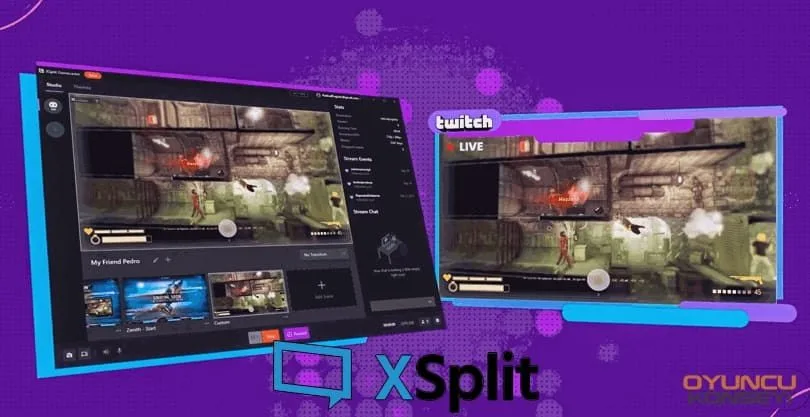
Xsplit, the first choice of many high-end professional publishers and video content manufacturers, truly manages to offer you channel experience. How? We are talking about a software that even some television channels have used at an amateur level. We can say that this application, which is a very high quality and detailed broadcasting tool, is the only paid application in the field!
Xsplit has a remarkable compatibility especially with Twitch, Youtube and Facebook. But what sets this program apart from other peers like OBS is the quality of instant data processing. Yes, you heard right. This program, which processes data much faster and with quality compared to other broadcasting tools, brings real resolution quality to it! For example OBS StudioThe 1K resolution we chose in . is not exactly 1K. But the 1K resolution we choose from the Xsplit application offers users a real 1K experience.
You can instantly understand publishers using Xsplit or YouTube content creators. If the videos or live broadcasts have an extremely clear image and the delay time is almost zero, you should know that that person is producing content with Xsplit. We seem to hear your question. Yes... it noticeably makes a difference!
Why should I use xsplit?
It is quite difficult to use compared to other similar ones. Although it is more understandable with its new interface, it offers a professional experience. Therefore, you may have some difficulty in getting used to it. However, after you get through this process, you can make professional edits to the content you will create with Xsplit and add transitions such as a television channel. Moreover, with the scene interface, you can schedule all your content before broadcasting or video.
- It has many plugins in itself. In this way, you will not need additional software or mods.
- You can install themes, plugins or modules from the program with a single click. In this way, you have the chance to activate the module even if you are on the air!
- It offers the chance to control every pixel of the content you create.
- It is constantly updated.
- Transfers the broadcast with 0 delay.
- Allows you to use CSS in your posts!
- And with many more features!
What broadcast platforms does it support?
It is fully compatible with the platforms it supports, as it is only the reason for preference of professionals. It is fully compatible with Youtube and Twitch, especially Facebook Gaming. But you can easily adapt it to any platform you want. It is not difficult to broadcast on the platform you want with Xsplit, which has more than one beautiful module in its library!
You May Also Like: Top 10 Camera Frames (Streaming)
If you are broadcasting on Facebook or Youtube, there are modules special for these platforms in the application's library. You can control your entire stream without using extra platforms like StreamElements or StreamLabs.
How to use xsplit?
This program, which was released as two applications when it was first released, now serves with a single version. On the page of this application called Xsplit Broadcaster from here you can reach.
Reach the page from the link above. Download the program to your computer by following the steps and install it. If you want to buy it later, you can buy it from the same link. If you are going to use the free version, the application adds a logo to your screen. Use it on purpose.
Making settings is a bit confusing. But make your first settings with the automatic installation wizard that comes with the latest version. Establish the connection with the necessary accounts. Afterwards, you can gradually start learning the program. That's all the details about Xsplit Broadcaster for now! If you have a question mark in your mind, you can ask as a comment under the subject without hesitation. OyunKonseyi.com!