
 Add as a preferred source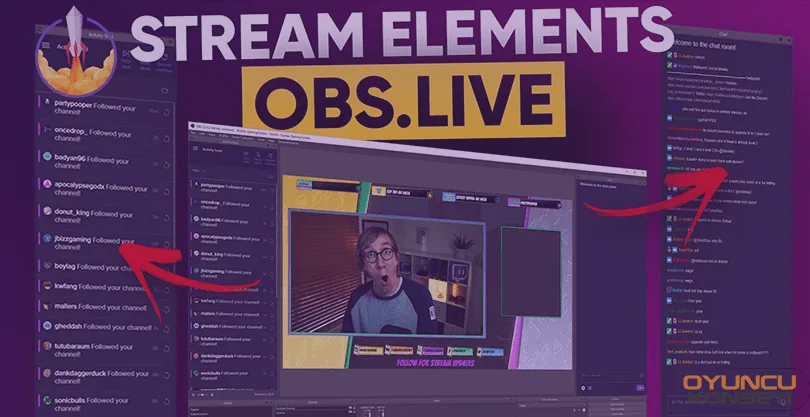
OBS Live is the next for the promotion of the programs where you will broadcast live and produce video content. This software, which is written on the classic OBS Studio program, has a very flexible structure. Stream Elements developed by the site and fully compatible with the site. obs.livemakes Twitch publishers' job much easier.
You will be able to reach all the details about this program, which should be preferred especially by publishers who do not have a double screen, in this guide.
What is obs.live?
by streamelements.com OBS Studio It is an edited broadcasting and content production program on it. Using this program, you can record screenshots and produce content for platforms such as YouTube. At the same time, you can broadcast live on sites such as Twitch, Facebook Gaming and YouTube Gaming.
This program is classic OBS Studiois more functional than It contains beautiful plugins, especially for those who broadcast on the Twitch.tv platform. At the same time, you can see the live chat, look at the activities and make adjustments such as the title. Again, you can experience an interactive chat experience with the playlist feature.
Why should you use obs.Live?
Stream Elements It is fully compatible with all the features of a large content platform such as It has its own themes, overlays and alerts. At the same time,
- It works fully compatible with Streamelements.com.
- You can get full control on Twitch via the program.
- It is constantly updated.
- It consumes less resources than the OBS Studio program.
- It comes with free themes and plugins.
How to Install Obs.Live?
To obtain the OBS.Live program, you must follow the steps below completely.
- Log in to Streamelements.com.
- appearing in the top menu obs.live Click the button.
- Then download the installation file to your computer by saying download.
- Install the program by running the installation file you downloaded.
- Then run the program.
- Fill in the necessary information with the Setup Wizard that will appear when the program is first opened.
You May Also Like: How to Organize Twitch panels?
Note: If you open a Streamelements membership before doing all these operations, you can provide faster transactions. You can easily become a member by connecting your Twitch account to StreamAlements.com.
What platforms does StreamAlements OBS.live support?
Like all other similar programs, it provides full support to all live broadcast platforms with high popularity. These platforms are as follows.
- Twitch (100% compatibility)
- YouTube (100% Compatibility)
- Facebook Gaming (80% Compatibility)
- Other platforms (50% compliance)
These compatibility rates are all about automation. In short, if you want to use this program, you can use it with your eyes closed. Especially your posts twitch If you are doing it via OyunKonseyi.com This program It is our recommendation.
obs.live homepage: https://streamelements.com/obslive
It has a very useful structure in general terms. obs.live It will also be your first choice. Everything you need to do is just to follow the above proposals. In this way, you will have a quality broadcasting tool.