
 Add as a preferred source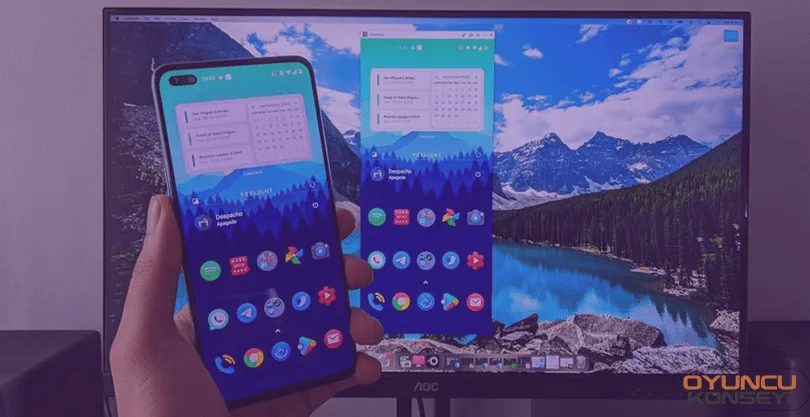
If you like mobile games and want to present content through these games in your publications, there are a few steps you need to do. In this guide you How to mirror phone screen to OBS We will show it. This process, which was very difficult in the past years, can be done very easily these days as we enter 2021.
If you want to do this, let us remind you that you should use a new generation and wireless supported phone. In older model phones, the mirroring process can cause problems such as delay. A phone with insufficient equipment causes problems such as contraction. If you do not want to deal with these problems, make sure that the mobile device you will broadcast is equipped with sufficient equipment.
How to mirror phone screen to OBS?
What we need for this process, which we will do very easily, is just a mobile device and computer. You can learn about how the process is done by following the suggestions below. Let's see how to mirror the phone screen to OBS? to the answer to the question.
letsview
First of all, we need to install the program called LetsView on the computer. The reason we offer this program to you is because it is completely free. Because other "mirror" programs are too expensive. Especially in Turkish conditions, license fees can go up to 500 ₺/year. That's why letsview will do our job a lot.
Website to download the program: https://letsview.com
You May Also Like: What Is obs.live? How Is It used?
Log in to the website we shared above and download the program to your computer from the button that says "Download". Then install the downloaded program on your system.
- letsview run the program.
- Give your computer a name from the settings that will appear.
- Select which resolution you want to reflect.
- Then save the settings you made.
After following these steps, your computer is now suitable for pulling the broadcast. Never close the program. If later OBSLogin to .
- Activate the projector or screen mirroring setting from your phone.
- letsview Select the name from the screen that appears, whatever you have named the computer name in the application.
- After selecting your computer, wait for a while and the screen will be reflected automatically.
- Click Add a new source from the OBS Resources section.
- Select the option that says "Catching the Window" as the new source.
- From the window capture settings, select the one that says LetsView in the section that says application name.
- Adjust the window size to your own publication.
Note: Your computer must have a wireless connection to perform these operations.
Yes. That's all we have done. Mirroring phone screen to OBS The process is quite simple. If you do the steps we shared above, your screen will be reflected in a smooth and easy way. In this way, you can now play mobile games while broadcasting.