
 Add as a preferred source
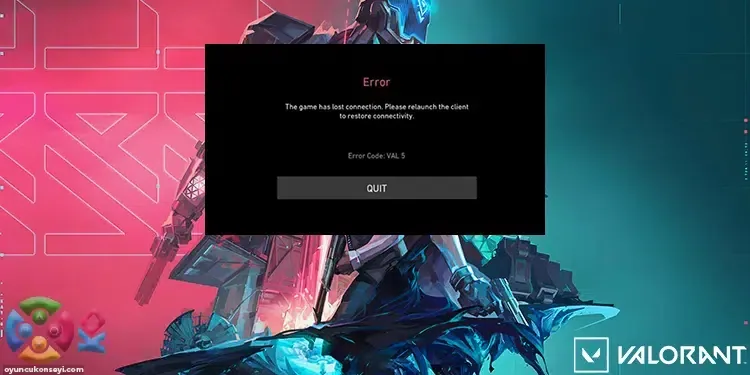
Although the updates for Valorant often have a positive effect on the game, they can cause some players to get different errors. Especially Val 5 error. Windows 11 operating system users are very likely to encounter Val 5 error. Ok then Valorant Val 5 error and solution What is it? We would like to share with you the methods you can try to solve this problem.
Valorant Val 5 error and solution
Valorant players who get errors think that the mistakes they get are usually caused by the game. We cannot say that this is absolutely true, but we cannot say that it is absolutely wrong. Because the encounters of the players with the errors can be directly related to the game or the software incompatibility on the computer they use. You can try to solve the Val 5 error with the solution suggestions below.
Reinstall Riot Vanguard
Vanguard is the cheat protection program used to keep Valorant away from cheaters. You cannot enter the game until this program is open in the background. If you are getting Val 5 error, you can completely uninstall Vanguard and try to install everything from the beginning. Make sure that the internet connection will not be disconnected for a smooth setup. Thus, you can download and install the required files without skipping.
Control game servers
You May Also Like: How to Solve FIFA 22 Gamepad Problem?
The errors you experience may not occur due to the computer you use all the time. Problems with game servers can also cause you to see the Val 5 error. You can check the server status of Riot Games to see if everything is ok.
Reset modem or request IP change
If you haven't restarted your modem for too long, you may experience connection problems because you are using the same ip address. A new ip will be defined when you restart your modem. If your ip address has not changed after doing this, you may be using a fixed ip. In this case, instead of restarting the modem, you can request a ip change by calling the internet service provider you are using.
we have prepared for you Valorant Val 5 error and solution We hope the content has helped you solve the problem. If you still have the same problem after trying the above methods, you can contact the Riot Games support system. For solutions to problems you may experience in other games Error Solutions You can visit the category.