
 Add as a preferred source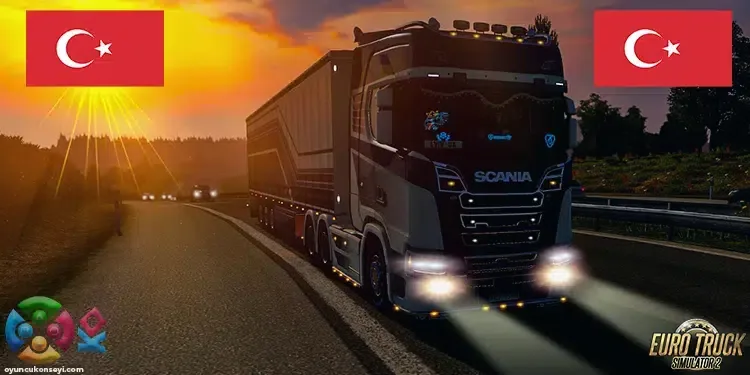
Ets 2 is one of the most played simulation games in our country. One of the reasons why the game is very popular in our country is that the game is modable. Thanks to the mods made by the players, many Euro Truck Simulator 2 content can be edited from the very beginning. ets 2 turkey map mode We can say that it is the most frequently downloaded Euro Truck Simulator 2 mode.
What is ETS 2 Turkey Map Mode?
ETS 2 Turkey Map Mod is a very comprehensive mode where you can carry loads on the Turkey map in single-player gameplay. With this mode, you can reach most bridges, highways, border entrances and cities in Turkey. It will be very enjoyable to carry cargo on the roads of Turkey with the truck you buy in the game or the truck that the company you bought the job will give.
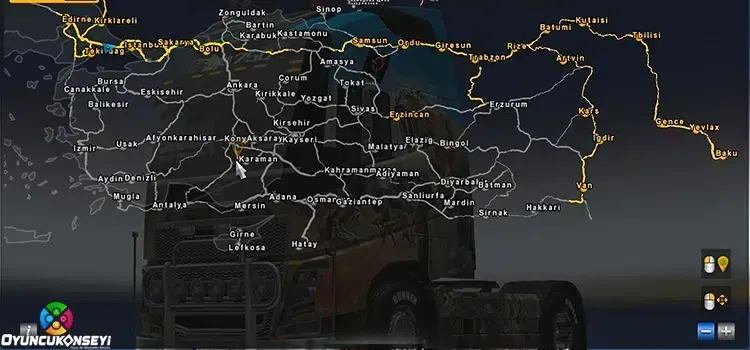
Euro Truck Simulator 2 Turkey Map The tasks you will take in will be very challenging but fun. Especially on very winding roads, using long-dog trucks will bring your chauffeur to the fore. Of course, since you will not be able to go too fast on these roads, raising the cargo on time may cause problems for you. In addition, if you take very heavy loads, you can lose a lot of time on slopes.
ETS 2 Turkey Map Mode Download and Installation
Compared to other mod packs available in the game Euro Truck Simulator 2 Turkey Map Mode It is set up in a simple way. In order to run Onal Map, which transfers the Turkey map to the game in the best way, you need to buy all DLC packages. If you are missing one or more additional packages, you will not run this mode package. With the following steps ETS 2 Turkey Map Mode Installation It will happen pretty fast.
- Firstly Euro Truck Simulator 2 Turkey Map Mod Download Download the mod package to your computer via the connection.
- Drag the .scs file in the mod package you downloaded to the desktop.
- Onalturkeymap_v1.4.2.scs file by following the documents/euro truck simulator 2/mod path mod drag it into the folder.
- Finally, run the game as an administrator and activate this mode package from the Mod Selection section on the login screen.
- That's all you had to do. Now you can dust off the roads of Turkey with pleasure.
You May Also Like: Is It Safe to Buy a Steam account?
ets 2 turkey map mode If you want to ask about it or if you have problems during the installation, you can reach us in the comments section. More Game Guides And don't forget to visit the relevant category for mod packs!