
 Add as a preferred source
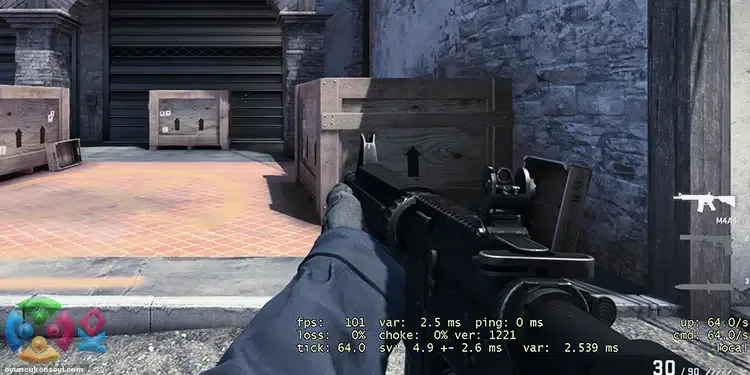
If you are playing CS GO, it will be good for you to be familiar with console commands that allow you to change some things in the game. you will write to the console cs go fps display code etc. You can have some information about the game thanks to commands such as In this guide, we will give information about where you should write this code and what it does.
What is CS Go FPS display code?
As the name suggests, it briefly shows how many fps you will get in the game and some other information. You can learn the instantaneous frame rate of the game by typing this code in the command window. In addition, you can also check whether you have a tick rate and package loss. show cs fps You can easily learn with the code.
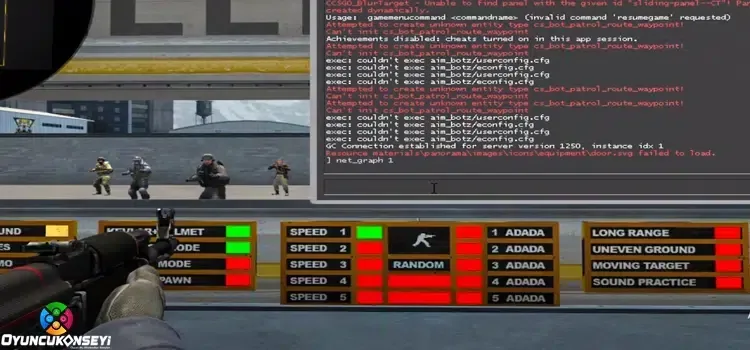
Where to write CS FPS display code?
In order to use the code, you must first activate the console. After activating the in-game console, open the console by pressing the "é" button under the ESC key. Behind "Net_Graph 1" Copy and paste the code. After this process, you can see some lines of information that also shows the FPS information at the bottom of the screen.
You May Also Like: Games Played with the Steering Wheel Set 2024
cs go fps display code I hope our guide for the players who are looking for has been useful. If there is a subject that you cannot do or have a problem with, you can send it in the comments section without hesitation. More Game Guides You can navigate the relevant category.