
 Add as a preferred source
There are many console commands that you can use while playing Rust. However, in order to use some commands, it is necessary to have special authorizations on the servers. we have prepared for you Rust Admin Commands You can use the codes in our content on your own server or on the servers you are authorized. Make sure the server has a backup before using the codes.
What are the Rust Admin commands? 2026 full list!
- admin.muteVoice "Player": It silences the player.
- admin.unmutevoice "player": Removes silencing.
- admin.muteChat "Player": Prevents the player's chat use.
- admin.unmuteChat "Player": Unblock chat.
- Global.Banid "Player" "Reason": You can ban the game by typing the Steam64 ID and giving a reason.
- global.unban "id": It removes the ban of the player whose Steam64 ID is written.
- Global.kick "Player": You throw the player from the server.
- global.moderatorid "id": It gives moderator authorization to the player whose Steam64 ID is written.
- global.removemoderator "id": Removes the moderator authorization of the player whose Steam64 ID is written.
- global.restart: Restarts the server.
- server.backup: Backup server files. (It is used very often in emergencies.)
- noclip: It allows you to fly all over the map.
- Teleport "Player Name": You teleport to the player whose name you write.
- entity.spawn cargo_plane: You can use it to bring airdrop. You can use it during the event.
Commands that are only accessible to server owners and officials are used to instantly intervene in some problems on the server. You cannot use these codes for problems that need to be solved software on the server side. You can also take advantage of these commands if you want to organize fun events for players playing on your server.
You May Also Like: FM 22 SSD Gold Theme (Gold)
How to use Rust Admin commands?
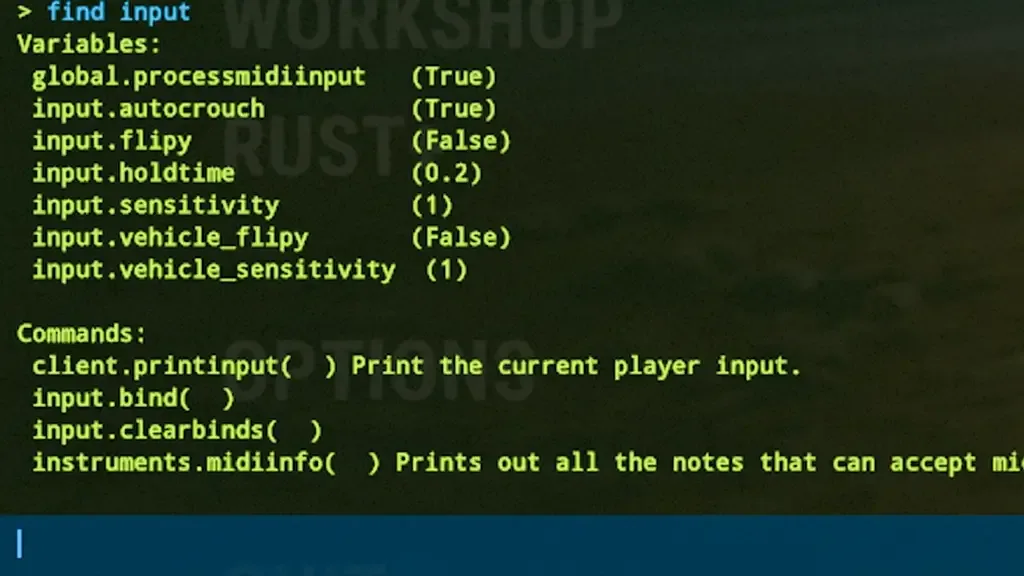
If you want to run administrator commands on your Rust server, first log in to your server. After the map is loaded, open the console by pressing the F1 key. Copy one of the Rust Admin commands we share in our content and paste it into the console. Finally, press Enter to activate the command.
Result
If you are managing a server, Rust Admin Commands You can make your job easier. You can specify the commands that we have not added or overlooked in the comments section. Rust Console Codes You can also learn the commands that only players can use by examining our topic.