
 Add as a preferred source
Your Steam ID is a unique identifier tied to your account. The most commonly used format is SteamID64, a 17-digit number often requested by game servers, admin tools, stat sites, and account-related services.
How to Find Your SteamID64
Steam Support provides a direct method through your Community profile. Follow these steps.
- Open your Steam Community profile.
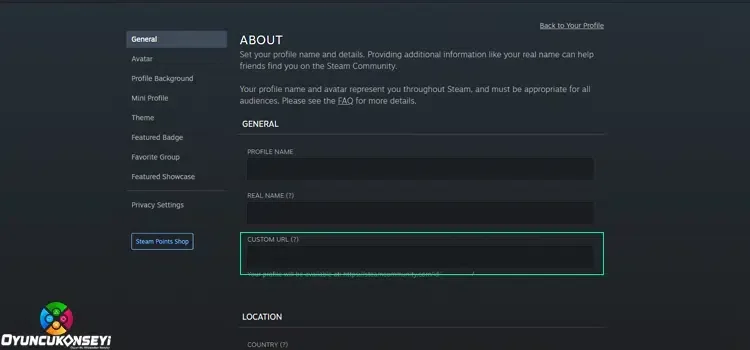
- Choose Edit Profile.
- Look at the Custom URL section.
- If you have never set a custom profile URL, the 17-digit SteamID64 appears in the profile URL shown there.
- If you do use a custom URL, Steam Support says you can clear the custom URL field temporarily to reveal the numeric profile URL containing your SteamID64.
Steam ID vs. Custom URL
These are not the same thing. Your SteamID64 is the permanent numeric identifier for the account. A custom Community URL is the readable text you can choose for your profile, such as steamcommunity.com/id/yourname.
Changing the custom URL does not change your SteamID. Valve states that the SteamID and Steam account name cannot be changed, even by Steam Support. Your public player name and custom profile URL can be edited separately.
You May Also Like: Tenz Valorant Crosshair Settings Updated 2024
What Does a SteamID64 Look Like?
76561198#########
The exact number is unique to your account. If a site specifically asks for SteamID64, use the numeric identifier rather than the text after /id/ in a custom profile URL.
You can verify the process on Steam’s official SteamID support page.
You can find more account and game help in our Guides.