
 Add as a preferred source
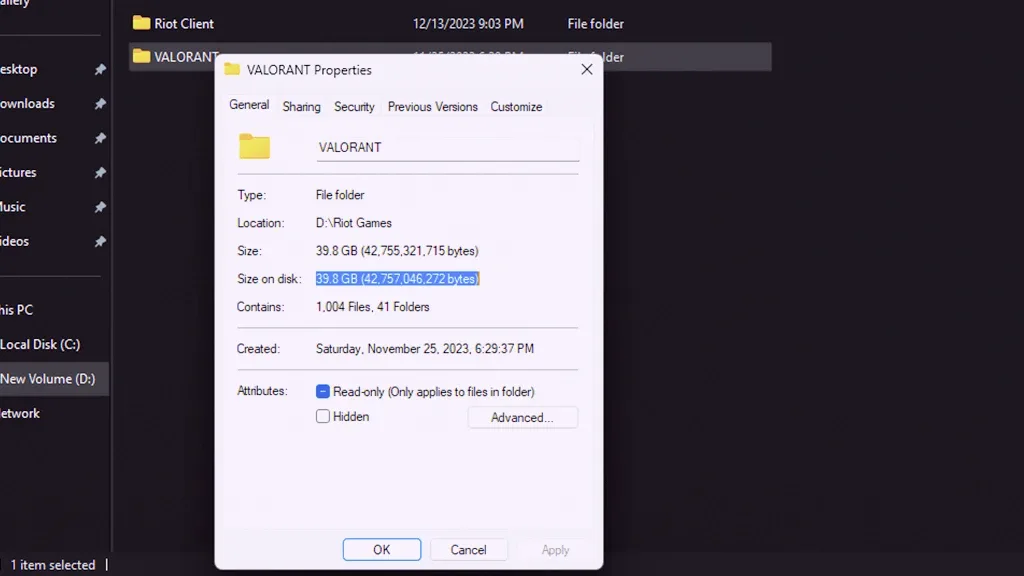
If you are installing VALORANT for the first time, one of the first questions is simple. How big is Valorant? The answer is less fixed than it looks because VALORANT is a live-service game and its install size changes as Riot Games ships new patches, maps, agents, and other assets.
How Much Space Does Valorant Take?
There is no single permanent file-size number that stays accurate across every patch. Riot’s official PC specifications page does not publish a fixed storage requirement, so the most reliable number is the estimate shown by the Riot Client when you install or update the game.
As a practical rule, keep substantially more free space than the game’s current installed size. Leaving around 50 to 60 GB of free space gives the client room for downloads, temporary patch files, and future updates. The amount actually used by the finished installation can be lower and may vary between systems.
Valorant PC System Requirements
Riot’s current official specifications list Windows 10 (Build 19041 or newer) or Windows 11, both 64-bit. The game requires 4 GB of RAM, 1 GB of VRAM, and SSE 4.2 or AVX support. Windows 11 also requires TPM 2.0 and UEFI Secure Boot.
You May Also Like: CS:GO Competitive Ranks in Order
Minimum Specs (30 FPS)
- CPU: Intel i3-540 or AMD Athlon 200GE
- GPU: Intel HD 4000 or AMD Radeon R5 220
- RAM: 4 GB
- VRAM: 1 GB
Recommended Specs (60 FPS)
- CPU: Intel i3-4150 or AMD Ryzen 3 1200
- GPU: NVIDIA GeForce GT 730 or AMD Radeon R7 240
- RAM: 4 GB
- VRAM: 1 GB
High-End Specs (144+ FPS)
- CPU: Intel i5-9400F 2.90 GHz or AMD Ryzen 5 2600X
- GPU: NVIDIA GTX 1050 Ti, AMD Radeon R7 370, or Intel Arc A310
- RAM: 4 GB
- VRAM: 1 GB
Because storage usage changes more frequently than hardware requirements, check the Riot Client before installing and keep extra room available for future patches. You can also review Riot Games’ official VALORANT specifications.
For more practical gaming articles, browse our Guides.