Why Does Your Phone Slow Down When It Gets Hot? Thermal Throttling Explained

This content was independently prepared by the Oyuncu Konseyi editorial team. Sponsored and partnership content is always clearly labeled. Details: Editorial Standards
Table of Contents
- Why Does Your Phone Slow Down When It Gets Hot?
- Why Does FPS Drop the Longer You Play?
- What Makes a Phone Heat Up Faster?
- Does Heat Damage the Battery?
- Frequently Asked Questions
- Does thermal throttling damage the phone?
- Does charging while gaming make a phone hotter?
- Does putting a phone in the freezer cool it down safely?
You start a mobile game with smooth FPS, and a few minutes in, the frame rate quietly drops. That is not always the processor running out of power, it is often the phone deliberately slowing itself down once it gets hot. Why does your phone slow down when it gets hot? Does performance come back once it cools?
Why Does Your Phone Slow Down When It Gets Hot?
Every time the CPU and GPU run, some of the electrical energy they use turns into heat, and that heat grows as they run at higher clock speeds. A phone does not have the large heatsinks or fans a desktop PC uses, so it has far less room to get rid of that heat. Sensors inside the device track temperature constantly, and once it nears a set limit, the system lowers CPU frequency, GPU performance, or power draw. This process is called thermal throttling.
For the user, the result looks like apps responding more slowly, FPS dropping in games, or tasks taking longer than usual. Short bursts of throttling are not a defect, they are a normal part of how phones manage heat. If it happens constantly even during light use, that points to something else, like ambient temperature, battery condition, or a hardware issue.
Why Does FPS Drop the Longer You Play?
Gaming is one of the heaviest workloads a phone can run, pushing the CPU and GPU hard for extended periods. In the first few minutes, while the phone is still cool, it can run at its highest clock speeds and deliver peak performance. As heat builds up faster than the cooling system can dissipate it, the phone approaches its thermal limit and throttling kicks in.
That is why judging a phone’s performance from a short benchmark run does not tell the full story. A device that scores high in the first few minutes can lose a large share of that performance under sustained load. The quality of the cooling system, vapor chambers, graphite layers, and larger heat-spreading surfaces, makes a real difference here.
What Makes a Phone Heat Up Faster?
Some habits push a phone toward its thermal limit sooner than others. The factors below can speed up the process.
- Charging while gaming adds the heat from the charging circuit on top of the heat the CPU already produces.
- Using the phone in direct sunlight or a hot environment, such as inside a parked car.
- Thick cases that trap heat can slow how quickly the body releases it into the air.
- Many background apps running at once add extra processing load.
None of these affect every phone equally. The chip, cooling system, and the performance profile the manufacturer sets all shape how a specific device throttles.
Does Heat Damage the Battery?
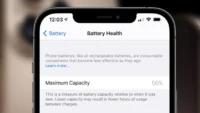
Managing temperature is not only about the processor. Lithium-ion batteries are also sensitive to heat, and prolonged exposure to high temperatures can speed up chemical aging and reduce usable capacity over time. That is also why charging management gets stricter when a phone is hot, fast charging speed can drop or charging can pause temporarily until the device cools.
Performance usually returns on its own once a phone cools down, no setting needs to be turned off. Closing the game or heavy app for a while, unplugging the charger if charging is not essential, and moving the phone out of direct sunlight all help it cool faster. Putting a phone in the freezer to cool it quickly is not a good idea, since sudden temperature swings can cause condensation and moisture inside the device.
A phone slowing down when hot can be frustrating, but the alternative, running at full power while overheating, would be worse. Trading a few frames for temporary throttling is the phone protecting itself on purpose. If you see heavy throttling during light use, that is worth telling apart from this normal behavior. Do you notice how hot your phone gets during long gaming sessions?
Frequently Asked Questions
Does thermal throttling damage the phone?
No, thermal throttling is a safety feature built to protect the phone. Its purpose is to keep the hardware inside safe temperature limits. The real risk would be the device running at full power without any throttling at all.
Does charging while gaming make a phone hotter?
Yes, charging while gaming adds heat from the charging circuit on top of the heat the processor already produces. This can push the phone toward its thermal limit faster. Playing without the charger connected during long sessions is the safer option when possible.
Does putting a phone in the freezer cool it down safely?
No, this is not recommended. Sudden temperature changes can cause condensation and let moisture build up inside the device. Moving the phone away from sunlight and letting it rest is a safer way to cool it down.