When Should You Replace Your iPhone Battery?
This content was independently prepared by the Oyuncu Konseyi editorial team. Sponsored and partnership content is always clearly labeled. Details: Editorial Standards
Table of Contents
- When Should You Replace Your iPhone Battery?
- Why Does the 80 Percent Number Matter So Much?
- What Happens Once Battery Health Drops Below 80 Percent?
- Can a Battery Be Faulty Even With High Health?
- Frequently Asked Questions
- Does replacing the battery make an iPhone faster?
- How long is the iPhone battery warranty in Türkiye?
- Which Battery Health messages mean you should get service?
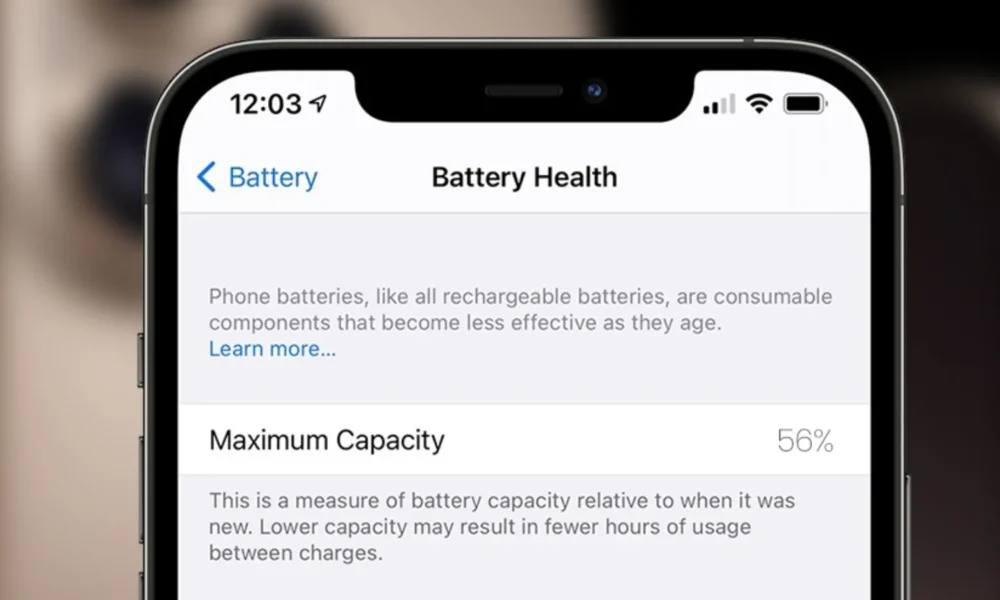
Battery Health in Settings is one of the numbers iPhone owners check most often, the maximum capacity percentage that starts at 100 and slowly drops over time. Not every single point it loses means the battery needs replacing. When should you replace your iPhone battery? What does the 80 percent number actually mean?
When Should You Replace Your iPhone Battery?
iPhone batteries use lithium-ion technology, and like all rechargeable batteries, they are consumables that chemically age with use. According to Apple’s official specs, batteries in iPhone 14 and earlier models are designed to retain 80 percent of their original capacity at 500 complete charge cycles, while iPhone 15 batteries are designed for 1000 cycles. Once capacity reaches that point, the phone keeps working, but it lasts less time between charges than it used to.
Apple offers free battery service under warranty once capacity drops below 80 percent. The warranty period is one year in most countries, though Apple’s own page notes it runs two years in Türkiye. Out of warranty, Apple offers paid battery service. A battery at 80 percent does not need to be replaced the same day, if it still meets your daily needs, it can keep going for a while longer.
Why Does the 80 Percent Number Matter So Much?
Maximum capacity shows how much energy the battery can store compared to when it was new, but it is not a fixed lab measurement, it is an estimate calculated by the iPhone’s battery management system. Aging is not only about lost capacity, a battery’s ability to deliver sudden power demands, what Apple calls peak power, can also decline over time. If the phone needs a burst of processing power the battery cannot supply, an unexpected shutdown can happen.
Apple applies performance management to help prevent that, but only after a device has already experienced an unexpected shutdown. Users may notice this as apps opening more slowly or some tasks running at reduced performance. The feature can be turned off from Settings, Battery, Battery Health, but it turns back on automatically if another unexpected shutdown occurs.
What Happens Once Battery Health Drops Below 80 Percent?
Below 80 percent capacity, an iPhone still makes calls, runs apps, and charges normally. The most noticeable change is usually shorter screen time. A phone that used to last from morning to night might start asking for a top-up by early afternoon, and that gap shows up more with heavy use like gaming, camera, or navigation.
Seeing the message that says your battery’s health is significantly degraded is another signal worth factoring into a replacement decision. Apple says this message does not indicate a safety issue and the phone can still be used, but battery and performance issues may become more noticeable.
Can a Battery Be Faulty Even With High Health?
The maximum capacity number alone does not tell the whole story. An iPhone showing 85 or 90 percent can still have a battery-related problem. Sudden shutdowns at 20 or 30 percent charge, a rapid unexplained drop in battery percentage, or unusual charging behavior are signs worth looking into regardless of the health percentage.
A physically swollen battery is a much more serious issue and can push the screen or back panel away from the frame. If that happens, the safe move is to stop using the phone and get it serviced, not to check what the battery health screen says.
A healthy-looking iPhone at 80 percent battery health does not need to be replaced right away, and a number like 81 percent does not guarantee the battery is problem-free either. Looking at maximum capacity together with daily screen time, unexpected shutdowns, and any service messages gives the clearest picture. If the battery no longer gets you through the day and you are happy with the rest of the phone, a replacement can be one of the more affordable ways to extend its life. How often do you check your iPhone’s battery health?
Frequently Asked Questions
Does replacing the battery make an iPhone faster?
Replacing a healthy battery with a new one does not boost normal processor performance. But if the old battery had chemically aged enough to trigger performance management, a new battery can help the phone return to its normal performance behavior. The most noticeable difference is usually in how long the phone lasts between charges.
How long is the iPhone battery warranty in Türkiye?
According to Apple’s official page, the warranty period in Türkiye is two years. Within that period, battery service is free if capacity drops below 80 percent. Outside the warranty, Apple offers paid battery service.
Which Battery Health messages mean you should get service?
A message saying your battery’s health is significantly degraded points toward getting service. If the device has already had an unexpected shutdown, a message about performance management may also appear. Neither message signals a safety issue, but both suggest battery and performance problems may become more noticeable.