
 Add as a preferred source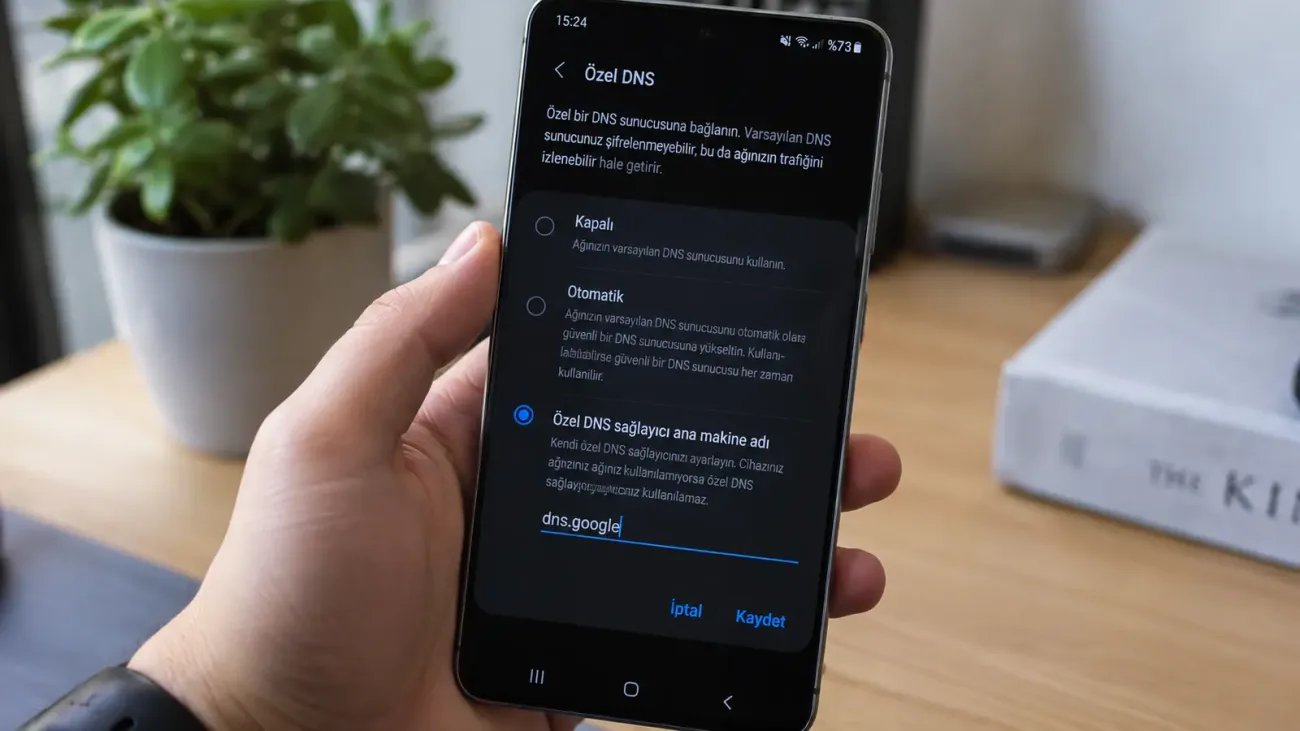
When an Android phone connects to the internet, DNS servers translate domain names into IP addresses. By default, your mobile carrier or Wi-Fi network usually provides the DNS configuration. Android also lets you choose a different DNS provider for the whole device through Private DNS.
What Is Private DNS on Android?
Android Private DNS sends DNS queries to a supported provider over an encrypted connection. Android uses DNS over TLS for this feature. That makes it harder for someone on the local network to read ordinary DNS requests in transit.
Because the setting works at the system level, it can affect apps as well as the web browser. The DNS provider you choose must support DNS over TLS.
What Does Private DNS Do?
The main purpose is to encrypt DNS queries. This can add privacy on public Wi-Fi or on networks where you do not want DNS requests sent in plain text. Private DNS is not a VPN and does not encrypt all internet traffic from the phone.
Some DNS services also block known malicious domains or offer content filtering. Those features come from the DNS provider, not from Android itself, so the provider you choose matters.
How to Set Private DNS on Android
Menu names vary by Android version and phone manufacturer. On devices close to stock Android, the option is usually under Network & internet. Samsung, Xiaomi, and other manufacturers may place it elsewhere.
- Open the Settings app.
- Open Network & internet or the equivalent connection settings.
- Find Private DNS.
- Select the option for a Private DNS provider hostname.
- Enter the hostname supplied by your DNS provider.
- Tap Save.
Once saved, the setting can apply to both Wi-Fi and mobile data. If you cannot find Private DNS, search for it inside the Settings app. Older Android versions may not include the system-wide feature.
You May Also Like: Which Xiaomi Phones Get HyperOS 4 First, and When Does the Global Rollout Start?
Does Private DNS Make the Internet Faster?
Changing DNS does not automatically increase download speed or mobile bandwidth. A DNS provider with a lower response time may resolve domain names a little faster, which can make the first connection to some websites feel quicker. It does not raise the maximum speed of your internet plan.
The result depends on your network and the DNS service. If your current DNS already performs well, you may notice little or no difference. Moving away from a slow or unreliable DNS server can improve how quickly connections begin.
Frequently Asked Questions
Is Android Private DNS safe?
DNS queries are encrypted when you use a trusted provider with DNS over TLS. The DNS provider can still see the queries it receives, so its privacy policy is worth checking.
Can Private DNS slow down the internet?
Small differences are possible depending on the provider and network. A fast, reliable DNS service should not normally cause a noticeable slowdown.
What happens if you turn Private DNS off?
The phone goes back to the DNS configuration supplied by the network or internet provider. Internet access can continue normally.