
 Add as a preferred source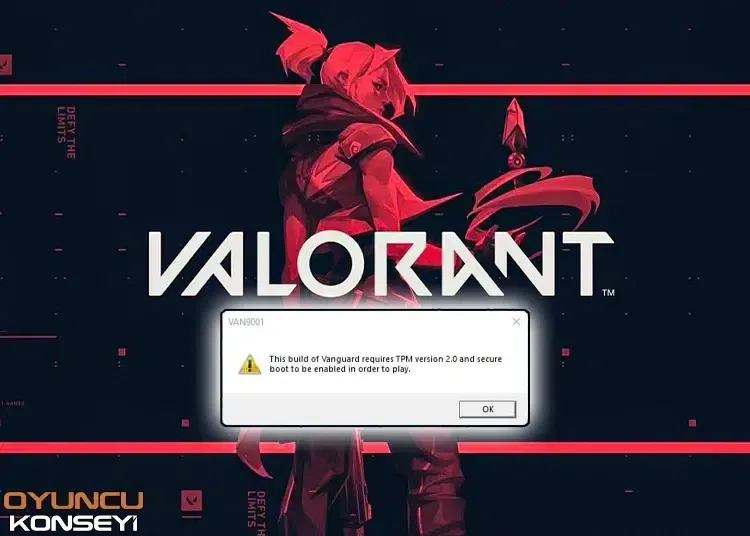
With the arrival of the Windows 11 operating system, some of the players Valorant TPM 2.0 required error and Secure Boot Required They started to encounter error. This problem is generally due to the fact that the BIOS settings of the computers are not fully made. You can play Valorant again without any problems with the solution suggestions we will offer for you.
How to fix Valorant TPM 2.0 required error?
Valorant with new updates windows 11 It can cause problems for players who try to play the game in the operating system. Although this is not true for all players Valorant TPM 2.0 required error It can be very annoying for the players who encounter it. windows 11 If you have not upgraded to the operating system and updated the BIOSes, it is very normal to encounter such errors. You can fix these problems by changing the following settings.
- Perform BIOS update
- The BIOS you are currently using may be a very old version. It is important to update the BIOS version to the newest after switching to an up-to-date operating system or at regular intervals. BIOS update is required for both the stable operation of the computer and the compatibility of the new operating system. You can check whether a new BIOS version is published on your motherboard brand's website. You can upgrade to the latest version with the EZ Flash BIOS update method.
- Open Secure Boot feature from BIOS settings
- Enter the BIOS settings when the computer is booting. Since the keys you will use to access the BIOS settings on each computer are different, you can research how you can enter the BIOS over the internet. Then from the Security section "Secure BootChange the property to Enable and save the settings and restart your computer.
- Check if TPM 2.0 is turned on
- If you have upgraded your computer to Windows 11 normally, the TPM 2.0 feature is turned on. However, if you have made this upgrade using different methods, it is very normal to get the TPM 2.0 required error. Open the Run window using the Win + R key combination to find out if your computer has TPM 2.0 support. Then type "tpm.msc" and press the OK button. In the window that opens, you can see whether the computer has TPM support or TPM 2.0 is on or off. If TPM 2.0 is turned off, open the Security tab from the BIOS settings. here "Trust TechnologyChange the setting to Enable and turn the computer off and on.
Valorant TPM 2.0 required error We hope the solution guide we have created for the players who buy it will be of use to you. If you are still getting the same error after trying these solution suggestions, you can change the operating system to Windows 10. You can also expect a new update to come. Error and Solutions You can join our free newsletter to be notified when we share the guides.
You May Also Like: How to Fix Assetto Corsa Not Launching