
 Add as a preferred source

Developed by Riot Games, Valorant is a FPS game played by millions of players around the world. Although the game is smooth, Valorant is constantly updating after the players press the play button lately. Since this process is not the same length for every player, Valorant Constantly Updated Players who have the problem can waste time entering the game. In this content, we will include the solution methods that you can try to eliminate the problem.
Valorant Continuous Update Problem Solution
Valorant is one of the most enjoyable FPS games to be played today. The attention given to the game and the community by Riot Games makes Valorant much more fun. The published updates take the game one step further each time. This makes the players love the game more. Despite everything, in some cases, players may encounter some mistakes. The source of the errors encountered is usually the computer of the players. Recently encountered VALORANT Continuous update problem is also an example. You can solve this problem by trying the following solution methods.
Valorant file verification
Game files are constantly changing due to the regular changes brought to the game. If you downloaded a missing or faulty file while updating the game, it will download the update again to install the correct file every time you start the game. If you don't want this to happen all the time, verify the game files once after each update.
Check out Valorant update notes
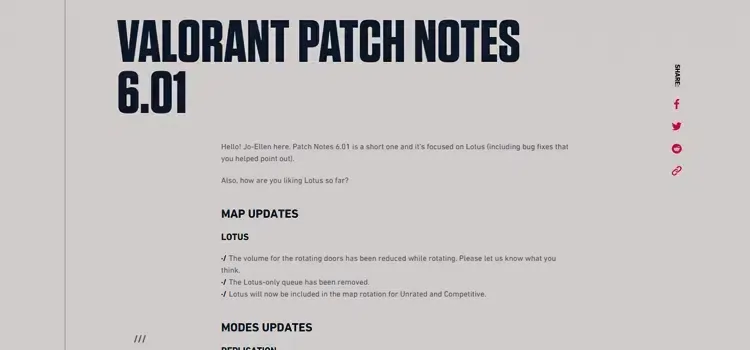
If a new update has arrived, your game will download it. You can check the game on Riot Games' website. Hot Fix can be released right after some updates. Hot Fix includes what needs to be fixed in the previous update or a problem has been fixed. In such a case, even if you have made the update, you can make a small download when you restart the game.
You May Also Like: How to Fix Valorant Voice Chat
Delete and reinstall Valorant

Although you try everything Valorant is constantly updating If so, completely remove the game from your computer and do a clean install. Thus, current files that remain in the background and current files will not conflict. After completely uninstalling the game, restart your computer. Download and install the latest version from the game's own site. Since the latest version will be installed cleanly, you will have downloaded the latest files, which will help to solve your problem.
VALORANT Continuous update problem These are the solutions we can suggest. We hope that after applying these methods, the problem will be resolved. For solutions to other problems encountered in Valorant and other games Error Solutions You can visit our category. We wish you a smooth and fun encounter!