
 Add as a preferred source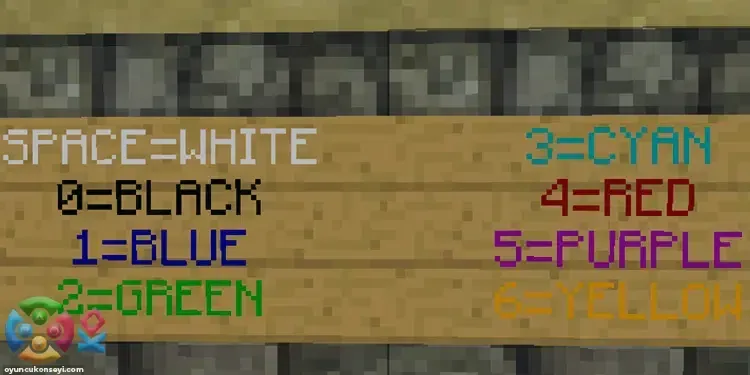
In game chat on Minecraft servers or playing with your friends Color Codes You can color what you write using. In the guide we prepared for curious players Minecraft Color Codes How is it used? You can find the answer to the question.
Minecraft Color Codes
Minecraft It is possible to color the texts written in the chat window inside. You can add different colors to the texts in the chat section by using the codes below. At the same time, you can use these codes in most places where you can write in the game. For example, you made a storage area and wrote on the signs to name each area. Minecraft Color CodesIt can also be used to color the texts on the sign.
What are Minecraft color codes?
All Minecraft color codes used in the chat and server area are completely included in the list below. By using these codes, you can make your game or server colorful.
Minecraft color chat codes
- BLACK - §0
- Dark Blue - §1
- Dark Green - §2
- Dark Turquoise - §3
- Dark Red - §4
- Dark Pink - §5
- Gold - §6
- GRAY - §7
- Dark Gray - §8
- Blue - §9
- green - §
- Turquoise - §B
- Red - §C
- Light Pink - §D
- yellow - §
- white - §F
Minecraft Color Server Codes
- black - \u00a70
- Dark blue - \u00a71
- dark green - \u00a72
- Dark turquoise - \u00a73
- dark red - \u00a74
- dark pink - \u00a75
- Gold - \u00a76
- gray - \u00a77
- dark gray - \u00a78
- Blue - \u00a79
- Green - \u00a7a
- turquoise - \u00a7b
- red - \u00a7c
- light pink - \u00a7d
- Yellow - \u00a7e
- White - \u00a7f
How to use Minecraft color codes?
We have divided the codes you see above into two different groups that you can use in the server and normal game chat. You can use chat codes on some servers that you play with your friends and are allowed. You can use the codes we specify for the servers while making an announcement. Thus, you can make much more colorful and understandable announcements to the players on your own server.
You May Also Like: Sims 4 Gardening Skills Guide
Use one of the above codes before typing anything in the chat or in the announcement area. The text you write will appear in the color corresponding to the code you are using. To give a quick example, when you write " §4 where are you?" you will see where you are written in red in the chat. You can add color to your article by making the announcements you will make with the server codes in this way.
All we know Minecraft Color Codes It is in our guide. If there is a color code that we have overlooked, you can send it to us in the comments section. More Game Guides You can visit the relevant category for