
 Add as a preferred source
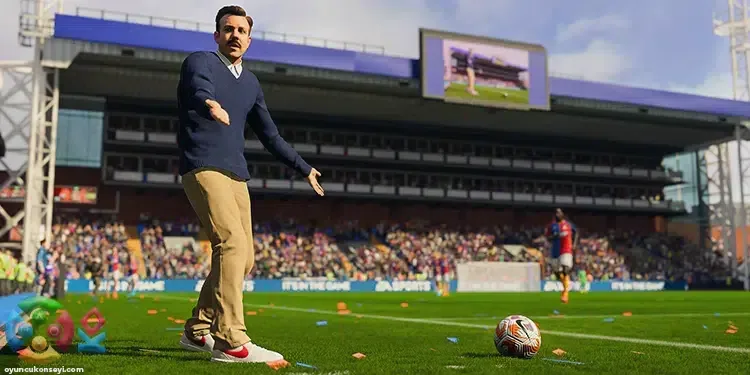
FIFA 23 offers players a much more realistic football experience with its new graphics. Some of the players complain that the game is stuck, despite the good optimization in the game. We have prepared for players who have contractions and freezing problems in the game. FIFA 23 FPS Boost Methods This will help you solve problems.
What are the FIFA 23 FPS Boost Increasing Methods?
The last game of FIFA, the most preferred football game in the world, made a good debut. FIFA 23 offers players an amazing football experience, but that doesn't mean the game is completely smooth. FIFA 23 System Requirements Although it is low compared to today's conditions, some players may encounter low PPS problems. FIFA 23 FPS Boost Methods You can play the game with much higher FPS values. Let's share these methods with you without deceiving too much.
Check your video card settings
In general, what causes low FPS in all games is the settings that are not properly configured. First check your video card driver up to date. If you are using an old video card driver, you can download and install the latest version from AMD or NVIDIA's sites. Then change the Power Management mode to "Max Performance" in the Graphics Card Control Panel settings. In this way, you can get full efficiency from the video card.
Change power settings
Changing the Windows power setting is another method where you can get an FPS boost. If you have never changed the computer from the day you bought it, it probably works in a balanced mode. While Windows Power Mode is working in a balanced way, your processor does not reach its full speed, but it only gives the highest performance when it needs it. To get full performance from your processor, select the "High Performance" setting from the Windows Power Options and restart your computer. Now your processor will constantly run at the highest speed.
Close background apps
You May Also Like: SMB Turko Valorant Crosshair Settings
If you have low-memory computer hardware, both opening a game and running different programs in the background will reduce game performance. Especially if you are listening to something from the internet browser in the background with the game, you may experience very serious FPS drops. Therefore, while playing the game, make sure that no program is running in the back.
Verify game files
Damaged game files for any reason may cause you to encounter freezing and contraction problems. By verifying the game files, you can re-download all missing or corrupted files. To do this, right-click the game from the Steam library and open the properties. You can start the verification process by pressing the "Verify Game Integrity" button in local files. Verification of game files will vary depending on the speed of your computer.
Change in-game graphics settings
FIFA 23fps boost The most important advice that we will explain among the methods will be to change the graphics settings for the game. You can earn very good FPS values, especially by reducing the shadows and anti-aliasing setting. However, depending on the VRAM amount of the video card you use to get higher FPS, you can also try to reduce the texture quality. If you are using a 6 GB video card, you should set the game settings so that they do not exceed this VRAM value.
we have prepared for you FIFA 23 FPS Boost Methods These are. After applying the methods in order, you will see that the FPS value you get has increased greatly. If there are other methods you recommend, you can specify them in the comments section. We wish you pleasant games!