
 Add as a preferred source
Before playing PUBG Mobile, you need to set a special name for yourself. The names you choose at the beginning of the game are very important. When the players drop each other in the matches, it is written which player dropped which player. This adds recognition and motivation to the players after a while. In order to change the nickname you determined at the beginning, the pubg mobile name change method will help you.
pubg mobile name change
PUBG Mobile is at the top of the list in the Battle Royale game genre. PUBG Mobile players are remembered with the nicknames they wrote at the beginning throughout the game. When we see a nickname that plays very well and drops most of the opponents in a row, we all get back down. Of course, this tension is a bit about nicknames. If the troll is a nick, we can laugh. If you want to change the nickname you have chosen, you can follow the steps below.
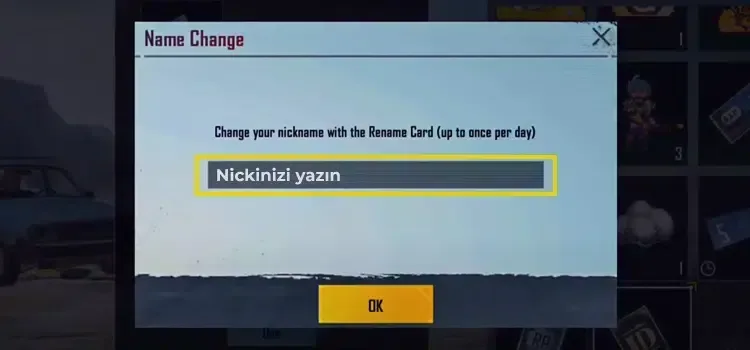
- First log in to the game. If you have an account, if you log in with it, all your progress will be automatically transferred.
- After logging into your account, wait for the contents of the game to be downloaded. After this process is completed, you will need a name change card. How to get a pubg name change card? You can find out in detail how you can reach this card by visiting our topic.
- Once you get this card, open your inventory and use the card. Since the PUBG Mobile name change card is used only once, we recommend you to be very careful when determining your new nickname.
pubg mobile name change We shared the questions about it. We hope you found our guide helpful. If you wish, you can specify the nicknames you use in the game in the comments section.
You May Also Like: Rainbow Six Extraction Startup Guide