
 Add as a preferred source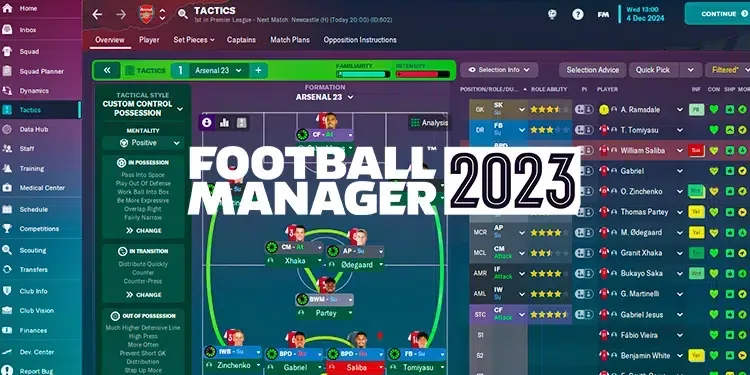
If you are tired of the colorless and monotonous themes of Football Manager games FM 2023 Tung Theme Pack You can add a little more color to the game. Before installing this theme package, you can take a look at our content where we provide information about the theme and how to install it.
What is FM 2023 Trung Theme Pack?
We have introduced many of your theme packages to you so far. Many of these were dark and light-colored theme packages. Football Manager 2023 Trung Theme Pack It has more vibrant colors. Thus, players can see some values very easily. In addition, the color weights in the Trung theme package are moving from blue to purple.
How to install FM 2023 Trung theme?
Developed by FM fans with the nickname Tung, it is quite simple to install this theme package. If you want to set up the theme without any problems, you can follow the steps below in order.
- First, download it to your computer from the download button above.
- The file in the compressed folder you downloaded is " My Documents > Sports Interactive > Football Manager 2023 > Skins "Follow the file path and put it in the folder named Skins. If you do not have this folder, you can create it yourself.
- Run the game as administrator and open the interface from Preferences and select the Trung theme. Close the game and run it again as administrator.
FM 2023 Tung Theme Pack That's what we're going to tell. If you have a problem, you can specify it in the comments section. More Game Guides You can browse the relevant category for.
You May Also Like: Halo Infinite Jega Rdomnai Boss Guide