
 Add as a preferred source
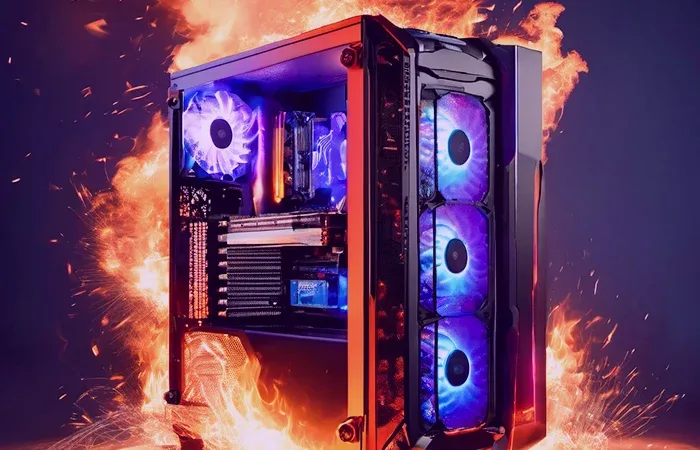
What many people know as overclocking What is overclocking? Does it damage the computer? We will share the answers to your questions in detail with you. At the same time, to increase the performance of the computer Things to consider when overclocking You can learn important information about this guide from our content. Without further ado, let's move on to our content!
What is overclocking?
Overclocking, whose Turkish equivalent is overclocking, is to increase the standard working speeds of some hardware on the computer. Although it is very useful and effective at first to go above the working speed of the equipment, the equipment used in this way for a long time wears out much faster.
Things to consider before overclocking
- Whether hardware supports overclocking
- Whether the cooling system is sufficient
- Whether the power supply (PSU) has sufficient power
- Whether the overclocking process can be reversed
Before overclocking, you should learn about the subject by examining different sources on the internet. In order to do this in a healthy way and get the best efficiency, you should pay attention to whether the hardware on your computer is compatible with overclocking. Because every hardware may not be suitable for overclocking.
Whether hardware supports overclocking
Overclocking can be done on many hardware in the computer. However, it is necessary to investigate whether the equipment is suitable for this process. For the simplest example, the maximum memory frequency supported by the motherboard should be known to increase the working speed of the memory you use. Otherwise, even if the memory is overclocked, it will not be able to exceed the values allowed by the motherboard.
Whether the cooling system is sufficient
The most important part is the cooling system that should be checked before starting the overclocking process. The increase in the standard working speeds of the equipment will naturally cause those parts to heat much more.
If the cooling system in the computer is not at a level to reduce the high temperature, the parts may heat up more than normal after overclocking, causing serious damage to the equipment. Therefore, before starting the process, test your computer under high load and observe the temperature values.
Whether the power supply (PSU) has sufficient power
One thing to consider before overclocking is whether the power supply can provide enough power for this process. As the operating speed of the equipment increases, the voltage value they need also increases.
For example: Suppose you want to overclock the video card and use a 500W power supply. Let's imagine that the processor installed on the computer before overclocking consumes 95W, the graphics card 150W, the memories 25W and other components 30W. Under normal circumstances, the computer is powered by 300W power consumption. (Values are exaggerated for a better understanding of the situation!)
The graphics card, which works at 150W power consumption under normal operating conditions, will start to consume 220W power after overclocking and the general power consumption will be 370W. In this case, the required power will be easily met. If the power consumption after overclocking cannot be met, performance losses will occur as the equipment cannot receive enough voltage.
Whether the overclocking process can be reversed
Increasing the answer to the question of what is overclocking and enough research on this process, increasing the working speeds of the hardware usually results in great disappointment. As a result of the unconscious overclocking process, it is necessary to have the knowledge to reverse this process, as other hardware on the computer may also be damaged.
You May Also Like: Galaxy S27 Ultra Could Make a Major Camera Change
How to Overclock?
Manufacturers have started to develop various software to make overclocking operations more convenient and safe. This process, which could be done directly through the BIOS, can now be carried out in seconds through the software released by the hardware manufacturers. Of course, it is still possible to overclock from the BIOS.
How to overclock the processor?
Many computer users first want to overclock the processor. Although overclocking the processor is much more risky than other equipment, significant performance can be achieved when done correctly.
Before overclocking the processor, the experiences of other users on the internet can be used. Thus, the overclocking of the processor can be performed in a much healthier way. Those with new generation AMD and Intel processors can overclock using software directly from manufacturers.
Users with AMD Ryzen series processorRyzen MasterBy installing the software ", the CPU frequency of the processor can play.
Intel, in order to be a little more efficient at overclocking, the overclocking of its processors"Intel Extreme Tuning Utility"It allows you to do it from the software named ".
How to Overclock the Graphics Card?
The graphics cards can be overclocked both in the memory watch and the core. Using the software offered by NVIDIA and AMD, the working speed of video cards can be increased.
While overclocking the video card, it is very important to progress gradually and keep the temperature values under control instead of raising everything at once. If the temperature value rises too much, irreversible damage may occur.
How to Overclock Memory?
Recently, it has become quite simple to exceed the speeds of memory. The default working speeds of the memories can be increased via the A-XMP or XMP settings in most BIOS.
In almost all computer systems, memory frequencies can be doubled. These settings are marked as closed by the motherboard manufacturers. However, it can be opened via the BIOS at any time.
Does overclocking harm the computer?
Yes, when overclocking is done incorrectly, the computer greatly damages the hardware. Overclocking under the right conditions does not cause much damage to computer hardware. However, since the hardware works at higher values than it should be, and it consumes a lot of power, their lifespan will run out very quickly.
Result
In this article"What is overclocking?"We have shared the answer to the question in detail with you. If you have a topic, you can contact us in the comments section. playerconseyi.com/red-dead-redemption-2-kac-hour/ You can access it by clicking the link.