
 Add as a preferred source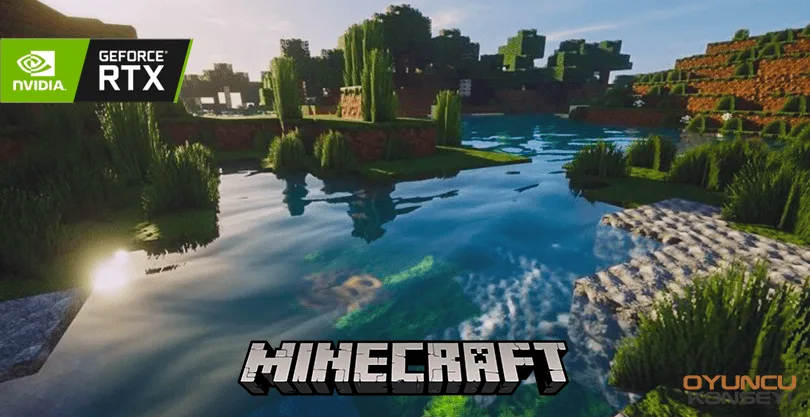
The RTX feature, which came to Minecraft in 2019, offers many different visual feasts to the game. How to open Minecraft RTX feature? With our guide, we will tell you how to open this feature and the benefits it will provide to you. Happy reading.
How to open Minecraft RTX feature?
To join Minecraft RTX, the beta version released on April 16, 2020, you need to make some adjustments.
- First you need to have Windows 10, then you should open the Microsoft Store.
- Xbox Insider HubYou must download.
- To take advantage of the RTX feature and register for the beta, you must enter the Xbox Insider Hub:
- You should click Minecraft > Manage from the opened section.
- From here you have to press the button for Windows 10 RTX beta and say it's done.
Unfortunately, not all versions of Minecraft are supported with RTX yet. You can follow the incoming updates and innovations here and see the benefits of the RTX feature. To use RTX, you must have the originally purchased Bedrock Edition or Minecraft designed for Windows 10. RTX is not a shader package. You can activate RTX by doing these operations for original games.
System requirements for Minecraft RTX version
- Operating system: Windows 10 64 bit.
- Graphics Card: NVIDIDA GeForce RTX 2060 or better RTX card.
- Processor: Intel Core i5 or a better processor.
- Memory: 8 GB.
- Storage: 2 GB of available free space.
You May Also Like: Halo Infinite Tovarus and Hyperius Boss Guide
we have prepared for you How to open Minecraft RTX feature? We have given all the details in our guide. More Minecraft and Game Guides You can subscribe to our site's newsletter for free.