
 Add as a preferred source
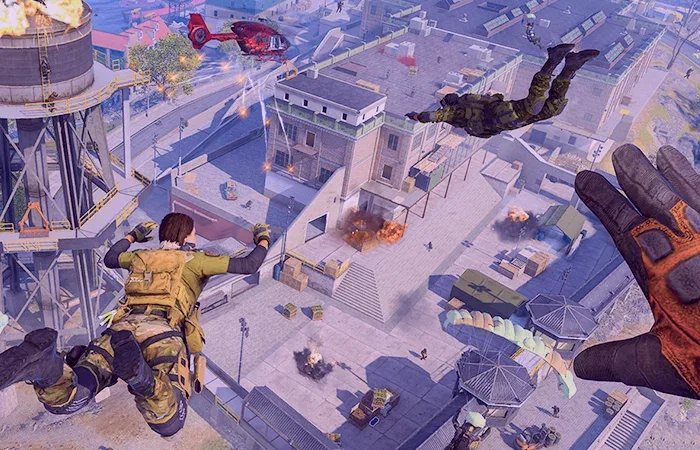
Cod Warzone Mobile, developed by Activision, recently released for iOS and Android smartphones. The mobile version of the game also has impressive graphics and a lot of animation. In this article we will include Cod Warzone Mobile Best Graphics Settings Thanks to this, you will be able to play the game in a much better quality, and you will be able to easily notice the rival players.
Cod Warzone Mobile What are the best graphics settings?
- Visual Quality: high
- performance optimization for: Framerate
- Max Framerate / FPS: UN-Capped
Above Cod Warzone Mobile Best Graphics Settings Thanks to this, you can achieve high performance in competitive matches in the game. The choice you make in the Visual Quality setting determines the quality of the graphic in the game. The Performance Optimization setting determines whether the game will focus on FPS or battery life.
COD Warzone Mobile Graphics Settings on Top Segment Phones
- Visual Quality: high
- performance optimization for: Framerate
- Max Framerate / FPS: UN-Capped
If you have a high-end smartphone, you can use the Visual Quality setting "highYou can choose as "
Performance optimization optionframingWhen you select it as ", your phone will run out quickly, but you can get a fluent gaming experience in return.un-capped"So you can remove the limit of the FPS you will get by doing unlimited.
COD Warzone Mobile Graphics Settings on Mid-Segment Phones
- Visual Quality: medium
- performance optimization for: Framerate
- Max Framerate / FPS: UN-Capped
Users with one of the mid-segment smartphones Cod Warzone Mobile Best Graphics Settings In the Visual Quality setting to play with "medium"framingYou can experience a maximum FPS value of gaming by changing it to ".
You May Also Like: Idle Miner Tycoon Gift Codes
COD Warzone Mobile Graphics Settings on entry-level phones
- Visual Quality: LOW
- performance optimization for: Framerate
- Max Framerate / FPS: 30 FPS - 60 FPS
Although the gaming performance of entry-level phones is not very good, it is possible to play the Call of Duty Warzone Mobile game comfortably by making changes in some graphics settings. Setting Visual Quality "low"You can play more fluently by doing it. However, the graphics quality will decrease significantly.
The performance optimization setting to maximize the FPS of the game is strictly "framingIn Max Framerate setting, you can choose 60 fps or 30 fps depending on the situation to prevent the device from overheating.
Result
We offer for phones in different segments Cod Warzone Mobile Best Graphics Settings Thanks to this, you can enjoy the game much more. Do you think the graphics settings we offer affect the gaming experience positively? You can send your answers to us in the comments section. For more content about mobile games OyunKonsei.com/mobil-games/ You can click on the link!